Hi, everyone!
This time, we would like to introduce D3Worker's DOCUMENT SERVICE "Dummy Document".
* Basic operations such as logging in to D3Worker and creating a new SERVICE are not explained because this article is not aimed to focus on SERVICE settings.
What is D3Worker's SERVICE "Dummy Document"?
This SERVICE is a DOCUMENT SERVICE that doesn't generate documents.
You use this SERVICE when you create a WORK that doesn't require to generate documents.
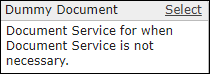
D3Worker's specifications don't allow you to create an ENVELOPE the DOCUMENT SERVICE of which is empty.
So you can create a WORK that doesn't generate documents by specifying this "Dummy Document" SERVICE as a DOCUMENT SERVICE.
How to use "Dummy Document"
Since there is no setup field for "Dummy Document", you just select "Dummy Document" in the SERVICE creation screen and save.

Select created "Dummy Document" SERVICE for a DOCUMENT SERVICE of an ENVELOPE.

You enter nothing in "Mapping Document with Data" settings of a WORK and save.
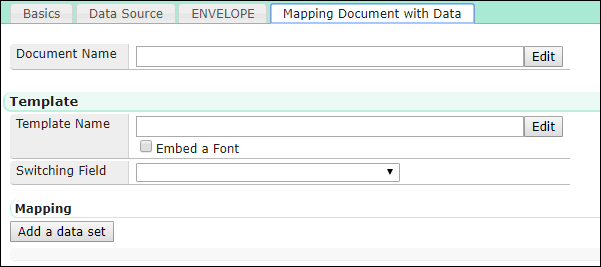
Case: Send emails using data sent to D3Worker as a body
This case supposes that you want to automate email sending with D3Worker, the content you want to distribute is only email body, and no document needs to be generated.
* It is true that you can achieve that goal by generating any temporary documents and not attaching them to emails. However, it is really inefficient to prepare unnecessary form templates and generate forms that are not to be attached. That's why we recommend that you use "Dummy Document" SERVICE in this case.
- Set up "Dummy Document" SERVICE as explained above.
- For email sending, suppose that you use the following data source to send the following email.
See this page about SERVICE settings to send emails.
Data Source
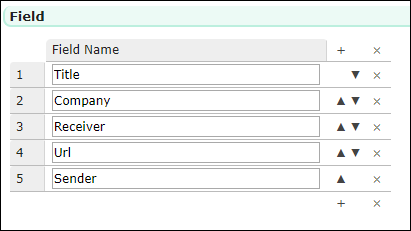
Email Template
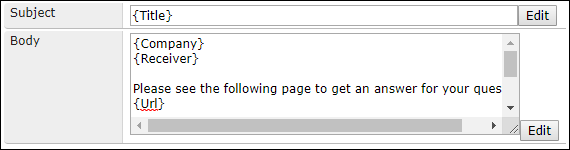
Email Body Detail
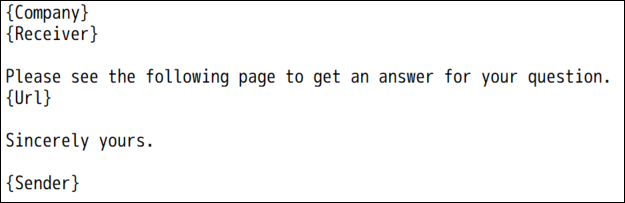
Run this WORK and...
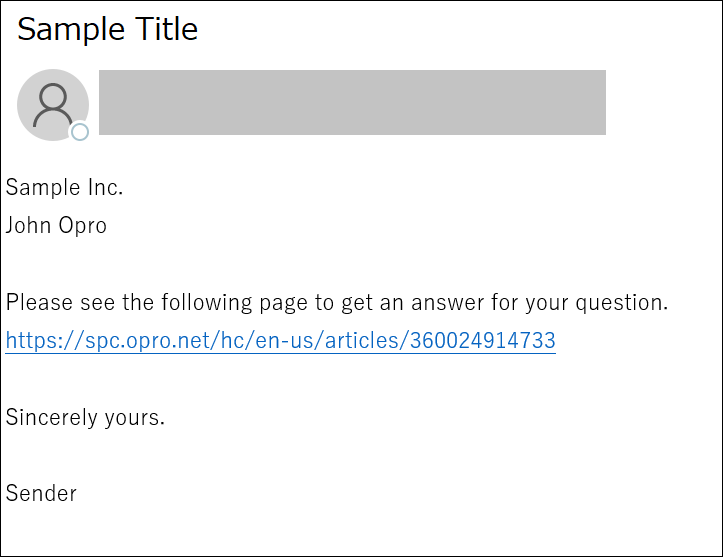
An email has been sent without generating documents.
Conclusion
Although you may not use this SERVICE frequently, you need to use "Dummy Document" SERVICE whenever it is not necessary to generate documents in a WORK.
Please feel free to refer to this article when you use "Dummy Document"!